
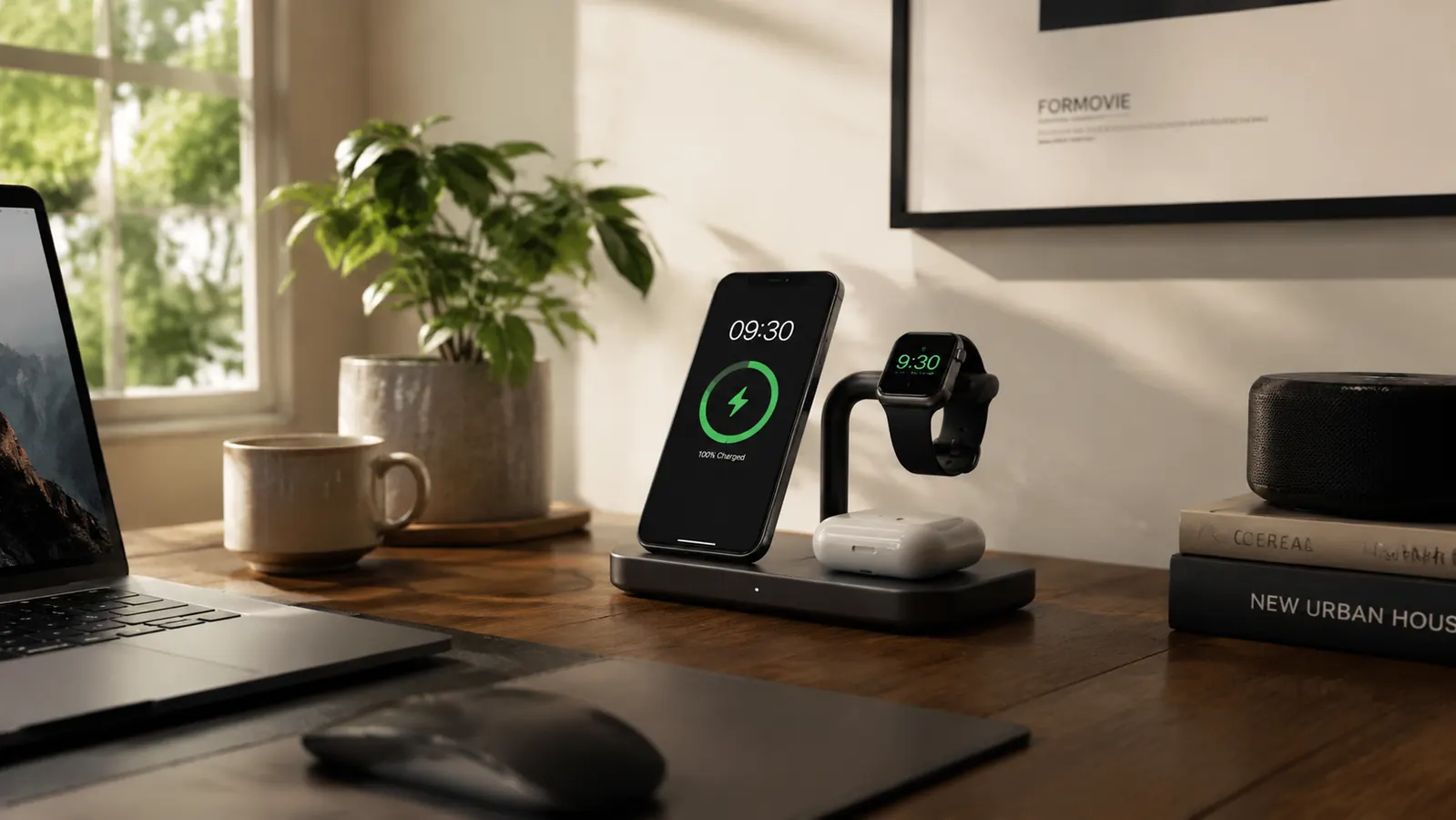
Six months ago, my desk looked like a junk drawer exploded. Three cables snaked off the power strip under my desk, my phone charger lived wherever I dropped it last, and I was forever digging under a stack of graded worksheets to find my watch charger before bed. Then I set up the Anlmz 3-in-1 wireless charging station in the corner of my desk, next to my lamp, and honestly, that mess just stopped happening.
I've had this same Anlmz dock running every day since January. Same desk, same three devices (an iPhone 13, an Apple Watch SE, and a pair of AirPods Pro), same routine of setting everything down the second I sit at my desk in the morning. This is what six months of that looked like, the good stretches, the small annoyances, and the parts I'd flag before you buy. Through all of it, the Anlmz has not skipped a day.
The Quick Verdict
A genuinely tidy, reliable charging dock for the price of a nice lunch. Not the fastest charger on the market, but the one I've stopped thinking about, which is the whole point.
Amazon Check Today's Price →Stop hunting for three chargers every morning.
One dock, three devices, zero tangled cables under your desk. See today's price and current availability on Amazon.
Amazon Check Today's Price on Amazon →How I've Used It
My setup is simple. The dock sits at the back left corner of my desk, plugged into the same outlet strip as my monitor. Every morning around 7:30, I walk in with my phone, watch, and AirPods case in hand from wherever they charged overnight (usually my nightstand), and I set all three down on the station before I open my laptop. That's the entire routine. No cables to plug in, no fumbling behind my desk.
I work from home three days a week teaching virtual reading groups in the mornings and grading in the afternoons, so my phone is either on a call, propped up for a video check-in with a student's parent, or sitting on this dock topping off while I work. Over six months that's roughly 130 weekdays of the same setup, same three devices, same dock, no swapping it out or troubleshooting a replacement.
I tested it two ways early on. First with an iPhone 13 in a slim silicone case, and later with my daughter's iPhone 14 in a thicker MagSafe-style case when she stayed with us for a few weeks over spring break. Both charged fine, though the thicker case slowed things down noticeably, which I'll get into below.
On weekends when I'm not at my desk, the dock still gets used. My husband keeps his phone on it overnight now too, since it lives in the room we both pass through before bed, and it's held up fine to a second person relying on it daily on top of my own routine.
Charging Speed and Stability
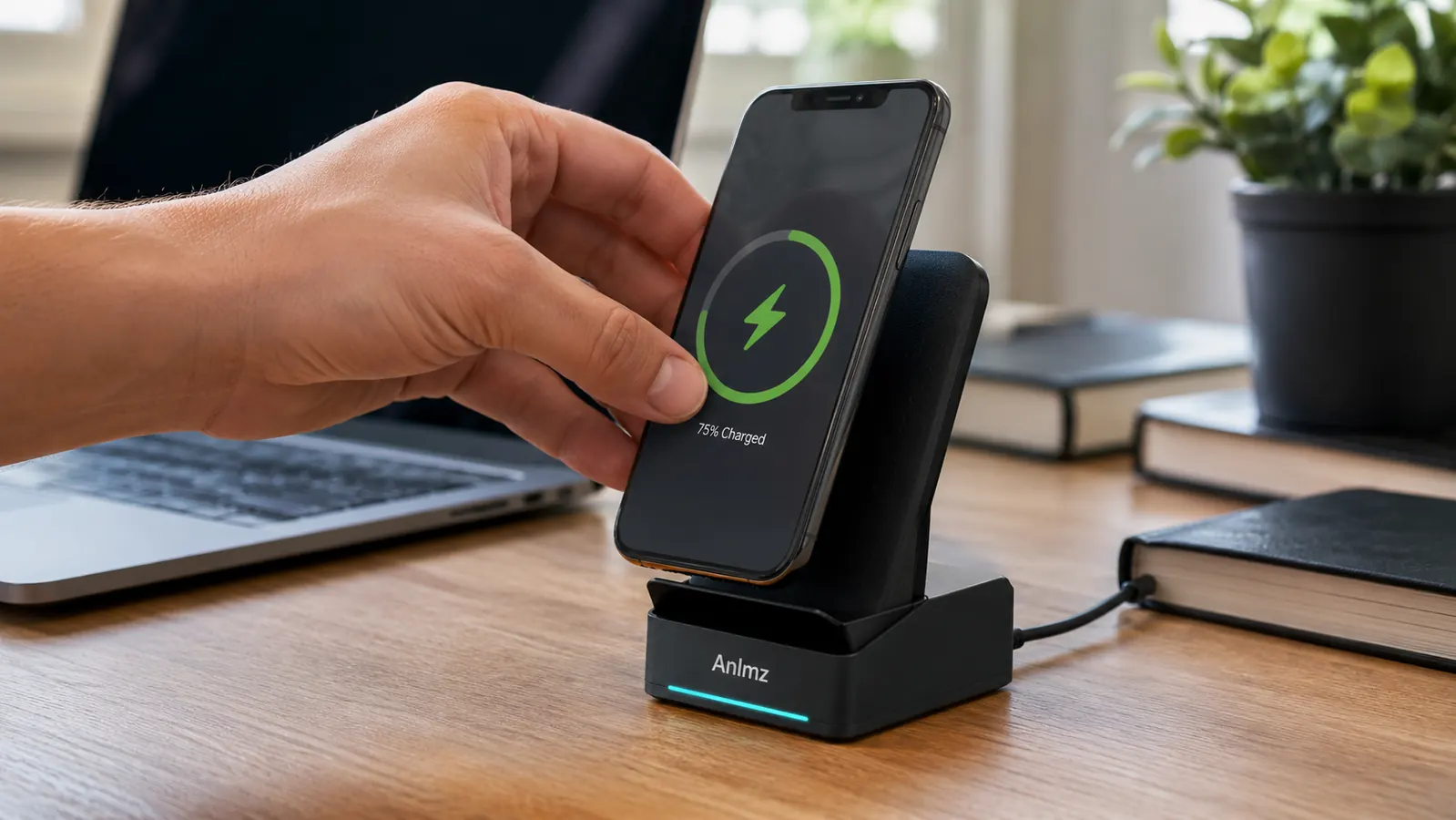
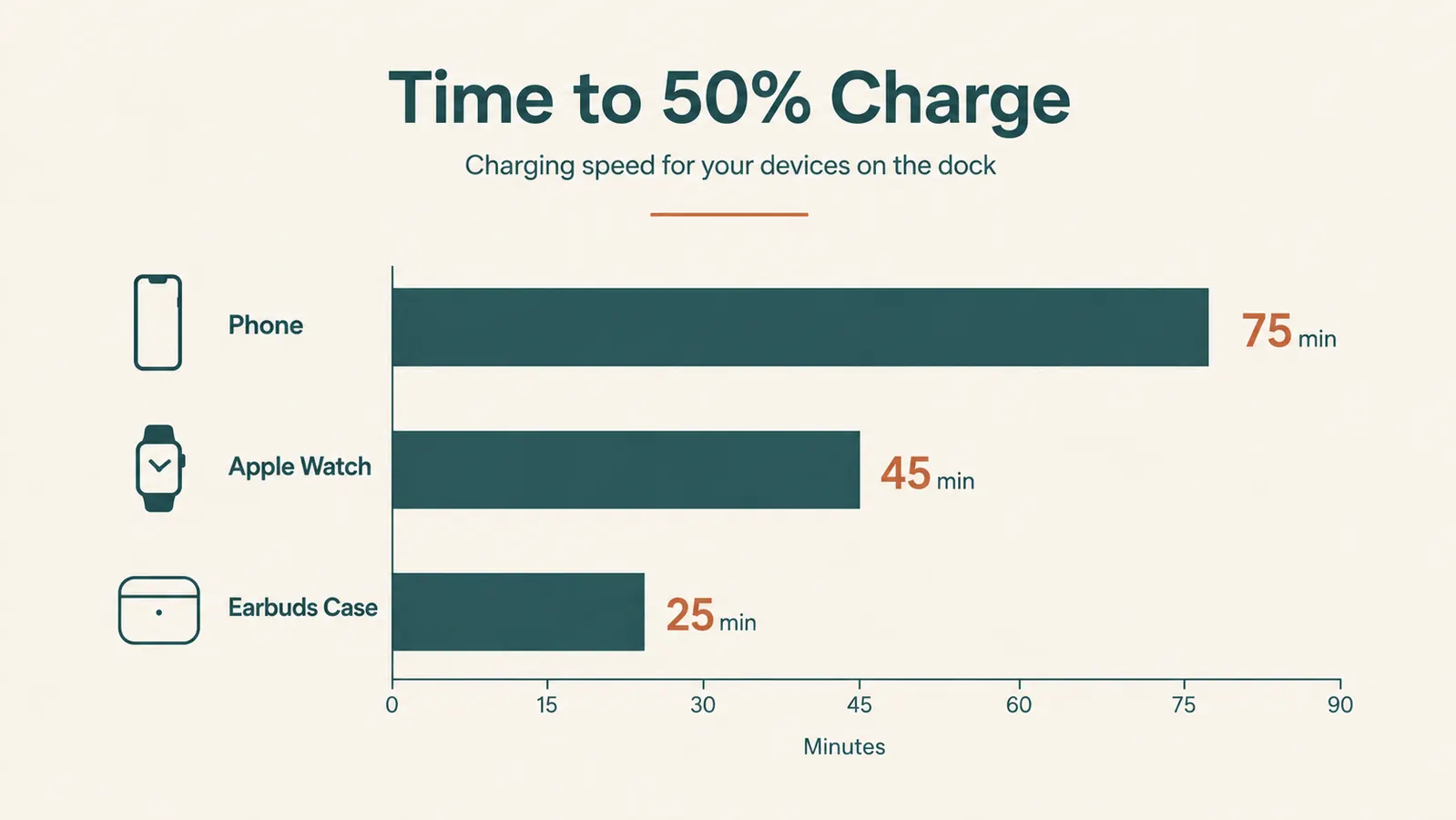
Let's be honest about what this dock is and isn't. It is not a fast charger. Wireless charging in general trades speed for convenience, and a 3-in-1 station splits its power output across three pads instead of dedicating everything to one device. From roughly 20 percent, my phone typically hits 50 percent in about 45 minutes with a thin case on. With my daughter's thicker case, that stretched closer to an hour.
The watch charging puck is the pleasant surprise. It uses the same magnetic snap my Apple Watch charger always has, so it locks on correctly nearly every time, no fumbling to find the sweet spot the way you sometimes do with cheaper watch charging pads. In six months I can count on one hand the number of times I woke up to find the watch hadn't actually been charging overnight, and each time it was because I'd set it down slightly crooked, not because the dock failed.
The earbuds pad is the most forgiving of the three. AirPods cases are small and light, so placement barely matters, and I've never had an issue there. If speed is your top priority for your phone specifically, a dedicated single-device fast charger will beat this dock. If your priority is getting all three devices charging without three separate outlets and three separate cables, this is where the dock earns its keep.
I did once time a full overnight charge out of curiosity, phone at 8 percent when I set it down at 9pm, 100 percent by the time my alarm went off at 6am. That's a full nine hours, plenty of runway even on the slower side of wireless charging, and it's the timeline that actually matters for how most people use a desk dock.
What It Actually Did to My Desk
This is the part I didn't expect to care about as much as I do. Before the dock, I had a phone cable, a watch charger cable, and an earbuds cable all running to the same power strip, tangled with my monitor cable and a desk lamp cord. It looked cluttered every single day, and clutter on my desk makes it harder for me to actually want to sit down and work, especially during report card season when I'm already dreading the task at hand.
Now there's one cable running to the dock, and everything else sits on top of it rather than snaking across my desk. My desk photographs better for the parent newsletter templates I make (small thing, but it matters when you're staring at your own workspace on video calls all day), and more importantly, it feels calmer to sit down at in the morning.
The base has a small rubberized ring on the bottom that keeps it from sliding when I set my phone down a little too fast, which happens more often than I'd like to admit before my coffee kicks in. It hasn't budged from its spot on my desk in six months, even with a curious cat brushing past it more than once.
Build Quality After Six Months of Daily Use
The plastic housing still looks essentially the way it did out of the box. No yellowing, no cracks around the charging pads, no wobble in the phone stand angle. I was a little worried the angled phone rest would loosen up with daily use since it's the part taking the most physical contact, setting a phone down and picking it back up dozens of times a week, but it's held its position.
The one place I've noticed wear is the watch puck cable, where it exits the base. There's a very slight looseness there now compared to when it was new, not enough to affect charging, but enough that I'm gentle when I adjust the puck's angle. It's the kind of thing I'd expect from a dock at this price point, and it hasn't caused an actual problem yet.
I did have one small scare in March when the phone pad seemed to stop charging overnight. Turned out my cat had nudged the base slightly off my desk's power strip, not an actual defect, but worth mentioning since a dock with no cable management built in can get bumped more easily than a charger tucked flush against a wall.
Compatibility and Case Quirks
This dock uses standard Qi wireless charging, so it works with any Qi-enabled phone, not just iPhones, though the phone rest angle and watch puck are clearly designed with Apple devices in mind. If you're on an Android phone with wireless charging, the phone pad will work, but you'll obviously skip the Apple Watch puck entirely.
Cases matter more than most people expect. Anything under 3mm thick with no metal components charges without issue. Thicker cases, especially ones with a credit card holder or a kickstand built into the back, either slow the charge significantly or stop it from registering at all. I ended up buying my daughter a thinner case specifically so the dock would work reliably for her, which felt like a minor inconvenience at the time but solved the issue completely.
For older Apple Watch bands, worth checking that the watch face sits flush against the puck. My husband's older stainless steel band added just enough thickness on one side that his watch took a few tries to find before it clicked into place reliably. It's a small learning curve, not a defect, but it's the kind of detail nobody mentions until you live with it every day.
Tradeoffs and What I Considered Instead
Before landing on this dock, I looked at a couple of alternatives. A single-pad fast wireless charger would have charged my phone quicker, but I'd still have needed separate chargers for my watch and earbuds, which puts me right back to the cable mess I was trying to escape. I also considered a plug-in charging station with actual Lightning and USB-C cables instead of wireless pads, which charges faster across the board, but then you're back to plugging and unplugging cables every morning instead of just setting devices down.
For my specific situation, a desk I sit at every single workday, three Apple devices I use constantly, and a strong preference for a tidy surface over the fastest possible charge, the tradeoff made sense. If your priority is speed above all else, or you're mostly charging Android devices without a matching watch, this specific dock is not the strongest option on the market.
It's worth saying too that this isn't the first charging setup I've tried. I went through a phase of buying a cheap single-pad charger from a big box store that never quite aligned the coils right, and before that I just used the cable that came in the box, which is how I ended up with the tangled mess I described earlier. Comparing all three, this dock is the only one that made me stop thinking about charging as a chore.
What I Liked
- Charges phone, watch, and earbuds from one outlet, no more hunting for three chargers
- Watch puck's magnetic snap is reliable, rarely misaligns
- Compact footprint that hasn't slid or shifted in six months of daily desk use
- Housing shows no yellowing or cracking after half a year
- Genuinely simplifies morning routine, set devices down and go
Where It Falls Short
- Noticeably slower than a dedicated fast wireless charger
- Thick cases (over 3mm, especially with card holders) charge slowly or not at all
- Slight cable looseness developed at the watch puck's base connection
- No built-in cable management if you want a fully cordless look on top of the desk
- Angled phone rest works best for portrait orientation, awkward for watching video propped sideways
The dock isn't the fastest charger I've owned. It's just the one I've stopped thinking about, and after six months, that's worth more to me than a few extra minutes of charge time.
Who This Is For
If you have an iPhone, an Apple Watch, and AirPods, and you sit at the same desk most days, this dock solves a real, daily annoyance for very little money. It's also a good fit if a cluttered desk genuinely affects your mood or focus the way it does mine, since the visual difference between three loose cables and one tidy dock is bigger than it sounds on paper. Anyone setting up a first home office desk and wanting to start organized rather than retrofit later will get a lot of use out of this, and it's an easy one to hand a spouse or teenager who shares the same charging routine.
Who Should Skip It
Skip this if you need the fastest possible phone charge and don't mind separate chargers to get it, if you use a thick wallet-style phone case and don't want to switch, or if you're primarily an Android household without an Apple Watch in the mix, since you'd be paying for a puck you'll never use. If you travel constantly and need something to toss in a bag, a smaller single-pad charger will serve you better than this stationary dock, which is built to live in one spot on a desk, not to be packed and unpacked.
Six months in, this is still the first thing I set my phone on every morning.
If your desk looks like mine did in December, one dock might be all it takes to fix it. Check today's price on Amazon before you decide.
Amazon Check Today's Price on Amazon →