
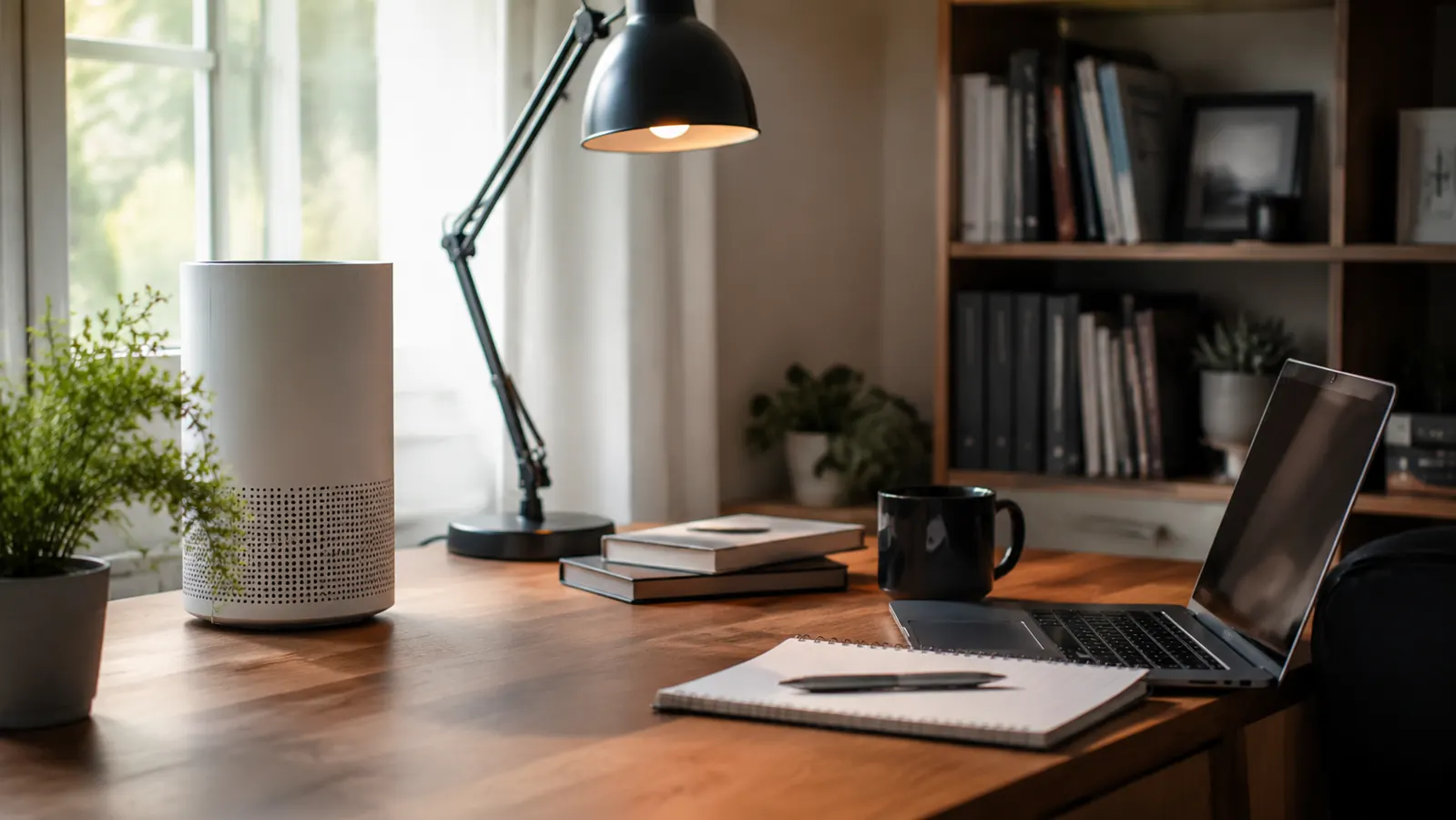
You know the feeling. It's two in the afternoon, the door has been shut since your first call at nine, and the air in your office has that thick, used-up quality, like you're breathing the same lungful over and over. Your eyes feel a little tired, your head feels a little heavy, and you can't quite pin down why, until you notice the dust sitting on your monitor stand that wasn't there last week. Cracking the window helps for about four minutes before the room's air is right back where it started. Lighting a candle just adds a new smell on top of the stale one. Neither of those actually fixes anything. The room isn't scented wrong. The air itself isn't moving, and it's carrying dust, pet hair, and whatever settled out of your carpet weeks ago.
A HEPA air purifier, something like the LEVOIT Core rated to cover a room well past the size of most home offices, solves the actual problem instead of masking it. It doesn't add a smell or a sound you have to work around. It just quietly pulls the stale, particle-heavy air out of circulation and replaces it with air that's actually been filtered. Here's how to set one up so it does that job well instead of just humming in the corner and making you feel like you did something.
This isn't complicated, but there is a right way and a wrong way to do it. Put the purifier in the wrong spot, run it on the wrong setting, or forget the filter for a year, and you'll wonder why the room still feels the same. Do these five things in order and you'll notice the difference within the first week, usually the first afternoon. None of it requires rearranging your whole office, just a little intention about where the unit sits and how it's set to run.
Stop opening the window and hoping.
The LEVOIT Core is built to actually clear a room this size, not just push air around it. It's the purifier I recommend to anyone whose office smells like a closed door by lunchtime.
Amazon Check Today's Price on Amazon →Step 1: Measure your room before you buy anything
Most home offices run somewhere between 100 and 200 square feet, a converted spare bedroom, a corner of a basement, a closed-off nook off the kitchen. Before you buy a purifier, measure your actual square footage and check it against the unit's stated coverage, not just the box art. The LEVOIT Core is rated to handle spaces up to 1073 square feet, which sounds like overkill for a 12 by 12 office until you understand why that matters. A purifier rated for exactly your room size will run flat out just to keep up, cycling through all the air in the room maybe once every hour or two. One rated for a much bigger space cycles the air in your actual office several times an hour, because it's barely working to do it.
If you've ever bought a purifier that felt like it did nothing, this is usually why. It wasn't a bad purifier, it was just undersized for the room and running at its ceiling all day, which also tends to mean it's louder than it needs to be on every call. Oversizing for a small office is the cheapest fix in this whole guide, and it's the one step people skip because the bigger-rated unit looks like more purifier than they need.
Grab a tape measure or just pull up your floor plan if you have one. Multiply length by width for a rough square footage number, then round up a little for ceiling height if your office has vaulted ceilings or is open to a hallway. That number is what you actually shop against, not the size of the room next door where a friend swears their purifier works great, since their office may be a totally different shape and airflow situation than yours.
Step 2: Give it real clearance, not a corner
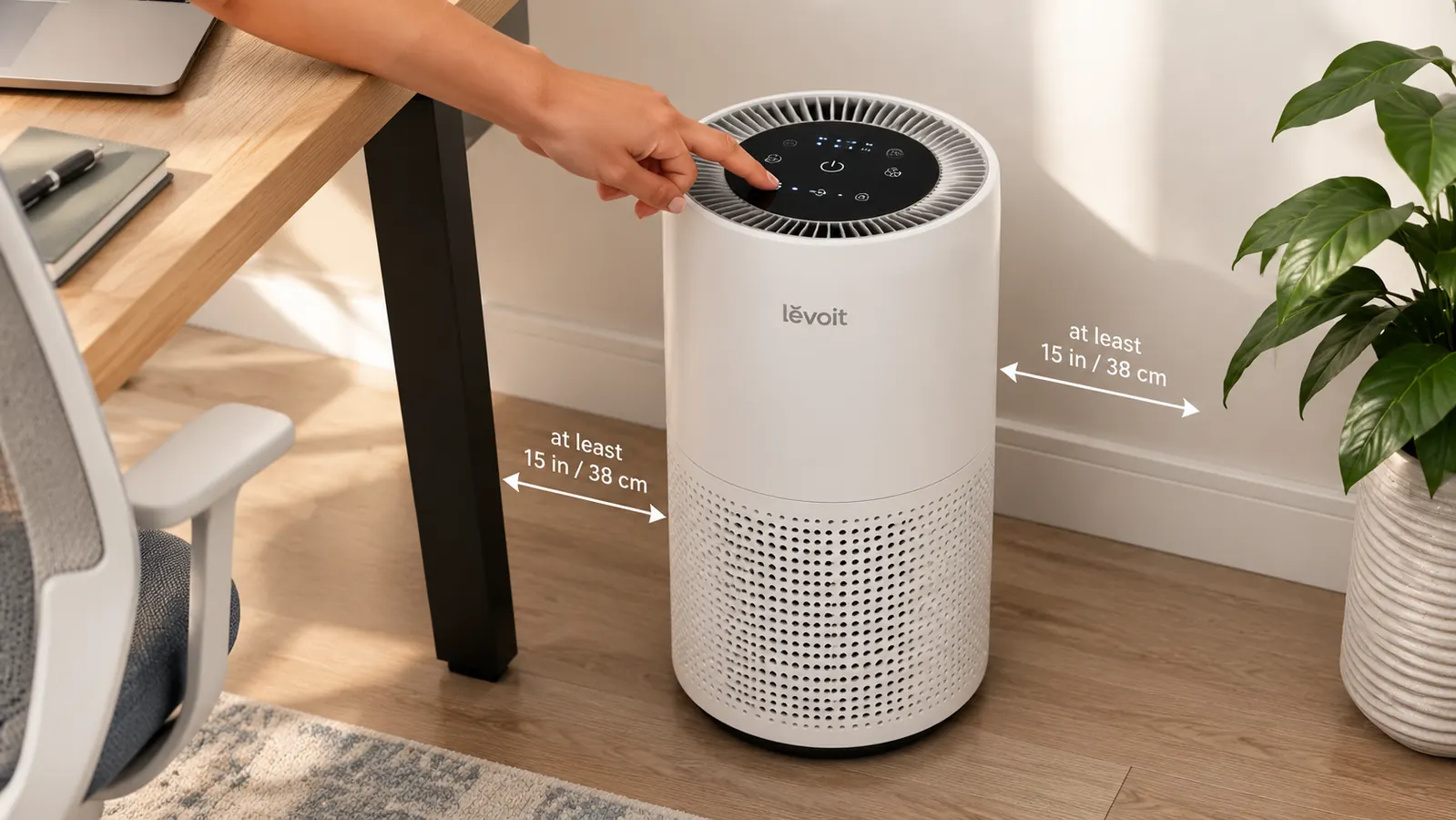
The instinct is to tuck the purifier out of the way, behind the door, wedged between the filing cabinet and the wall. Resist it. Air purifiers pull air in from the sides or back and push clean air out the top, and a wall or a stack of boxes blocks that intake before it ever gets to breathe. Give the unit at least a foot of open space on every side, more if you can manage it. Floor placement near your desk, not directly under it, tends to work better than a high shelf, since dust and dander settle low and get stirred up again every time you shift your chair or roll it back from your keyboard.
I run mine about two feet from my desk leg, close enough that it's pulling air from the zone I'm actually breathing in, far enough that I'm not staring at it on every video call. If your office has a door that stays shut most of the day, this placement matters even more, since that's the room doing all its own air recycling with nowhere else for stale air to go. A closed door isn't a problem you need to solve separately. It's exactly the situation a purifier is built for.
Step 3: Run it on auto, not just when you remember
A purifier that only runs when you happen to flip it on is a purifier that's basically decorative. The LEVOIT Core has an auto mode that reads the air quality in the room and ramps the fan up or down on its own, which means it's doing the work in the background instead of waiting on you to notice the room feels off. Set it to auto and let it run continuously through your work hours, morning coffee to end of day, and let it keep going overnight if the room stays closed up.
If you share the room with a sleeping baby monitor or you're sensitive to fan noise on calls, there's a sleep mode that quiets things down without turning the unit off entirely. What you don't want is a purifier that only comes on for twenty minutes before a big meeting. Air quality is cumulative. A room that's been recirculating dust and carbon dioxide all morning doesn't clear in twenty minutes, no matter how strong the fan is set to run once you finally flip it on.

Step 4: Replace the filter on a real schedule
This is the step almost everyone forgets, and it's the one that quietly ruins the whole setup. A HEPA filter that's been trapping dust and pet dander for eight months isn't purifying anything anymore, it's just a clogged screen the fan is straining to push air through, and a clogged filter means a louder, less effective unit even though it's running just as often as before. Most manufacturers recommend a filter swap every six to eight months with regular daily use, sooner if you have pets or live somewhere dusty. Write the replacement date on your calendar the day you set the unit up, because you will not remember otherwise.
The filter light on the LEVOIT Core will eventually flag it for you, but don't wait for a warning light if you know it's been close to a year. A five-minute filter swap is a lot cheaper than sitting in stuffy air for another two months because the reminder hadn't gone off yet. Keep a spare filter in the closet if you can, the same way you'd keep a spare furnace filter, so the swap happens the same day you notice instead of a week later once the replacement arrives.
Step 5: Pair it with the habits that make it work harder
The purifier does most of the heavy lifting, but a few small habits stack on top of it. Vacuum the office at least once a week, since carpet and rugs hold onto the dust that the purifier is trying to clear from the air, and a purifier can only filter what's actually airborne. If the room runs humid, a lot of home offices in basements do, keep an eye on it, since HEPA filters clog faster in damp air, and a small dehumidifier alongside the purifier can extend the filter's life noticeably.
Crack the door for ten minutes when you take a lunch break, just to let some outside air trade places with the recirculated stuff, then close it back up and let the purifier take over again. None of these replace the purifier. They just mean it isn't fighting an uphill battle all day. Think of it as the difference between running the purifier in a room that gets a little fresh air and some upkeep versus a sealed box that never gets touched from one month to the next.
What Else Helps
A purifier fixes the air itself, but a stuffy feeling in a home office is sometimes about more than particles. A small circulating fan on low can help move air around a room that has one stagnant corner, especially if your desk sits far from the door or window and the purifier is doing most of its work on the other side of the room. A houseplant or two won't do the heavy lifting a HEPA filter does, but they're a nice, low-effort addition once the real air quality problem is handled, and they make the room feel a little more alive on top of feeling fresher. And if your office genuinely has no window at all, running the purifier alongside a few minutes outside between calls does more for how alert you feel than anything else on this list, since fresh air and filtered air solve slightly different pieces of the same problem.
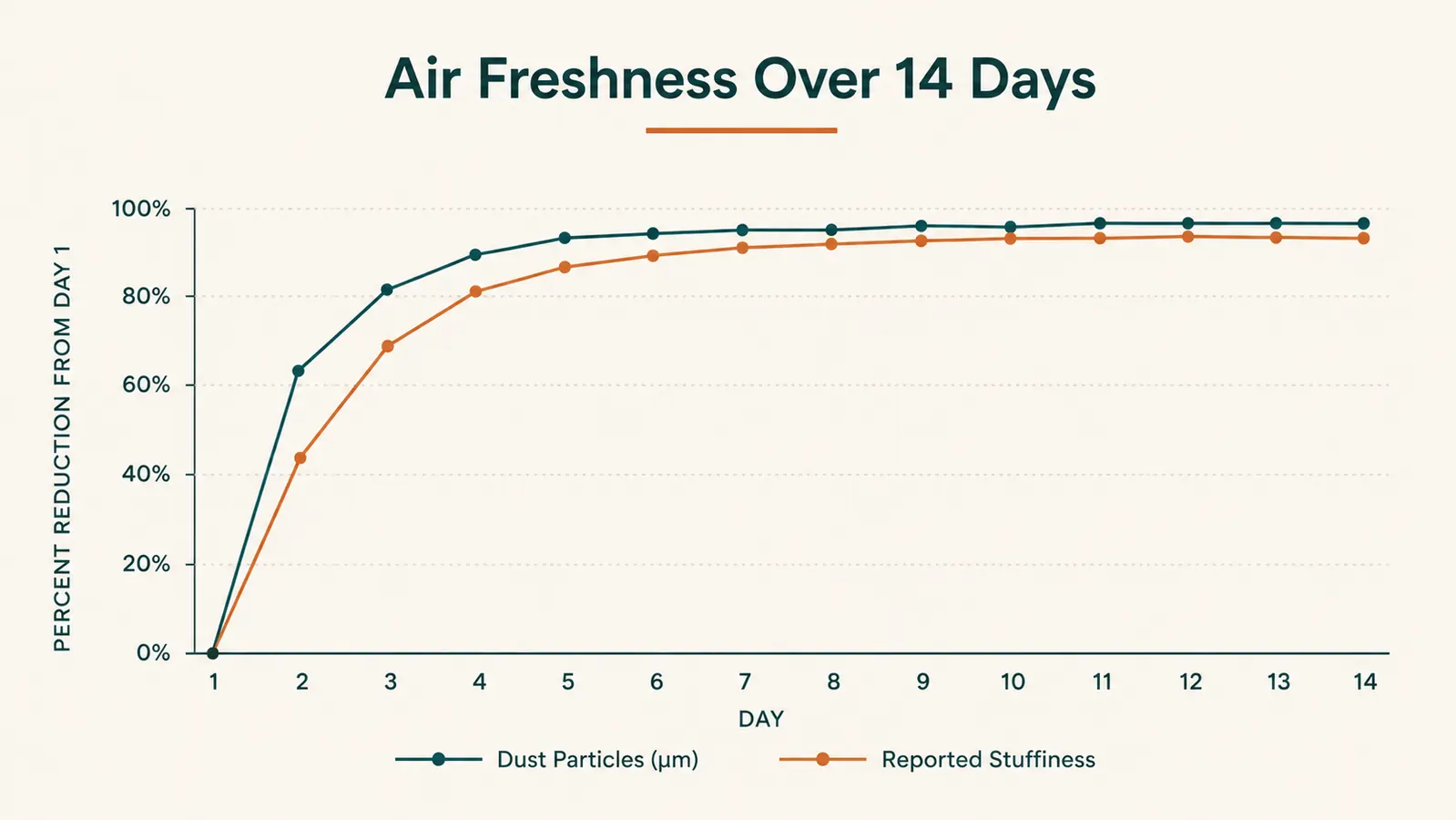
If allergies are part of what's driving the stuffiness, notice whether the heaviness tracks with the seasons or with a pet who naps on the office chair. A purifier helps with both, but knowing which one you're dealing with tells you whether to also wash bedding and rugs more often or just stay ahead of pollen counts when the windows are open elsewhere in the house. And give the whole setup two full weeks before judging it. The first few days often feel like the biggest jump because the room was so far behind, then it settles into a steady, unremarkable normal, which is really the whole point. A home office that stops being something you notice is a home office that's finally working the way it should.
Stale air doesn't announce itself. It just quietly makes every afternoon feel a little heavier than it should.
Give your afternoons their focus back.
If your office has that closed-door, end-of-day heaviness by 2pm, the fix isn't a candle or a cracked window. It's actually moving and filtering the air, room-sized coverage, on auto, running while you work.
Amazon See the LEVOIT Air Purifier on Amazon →