
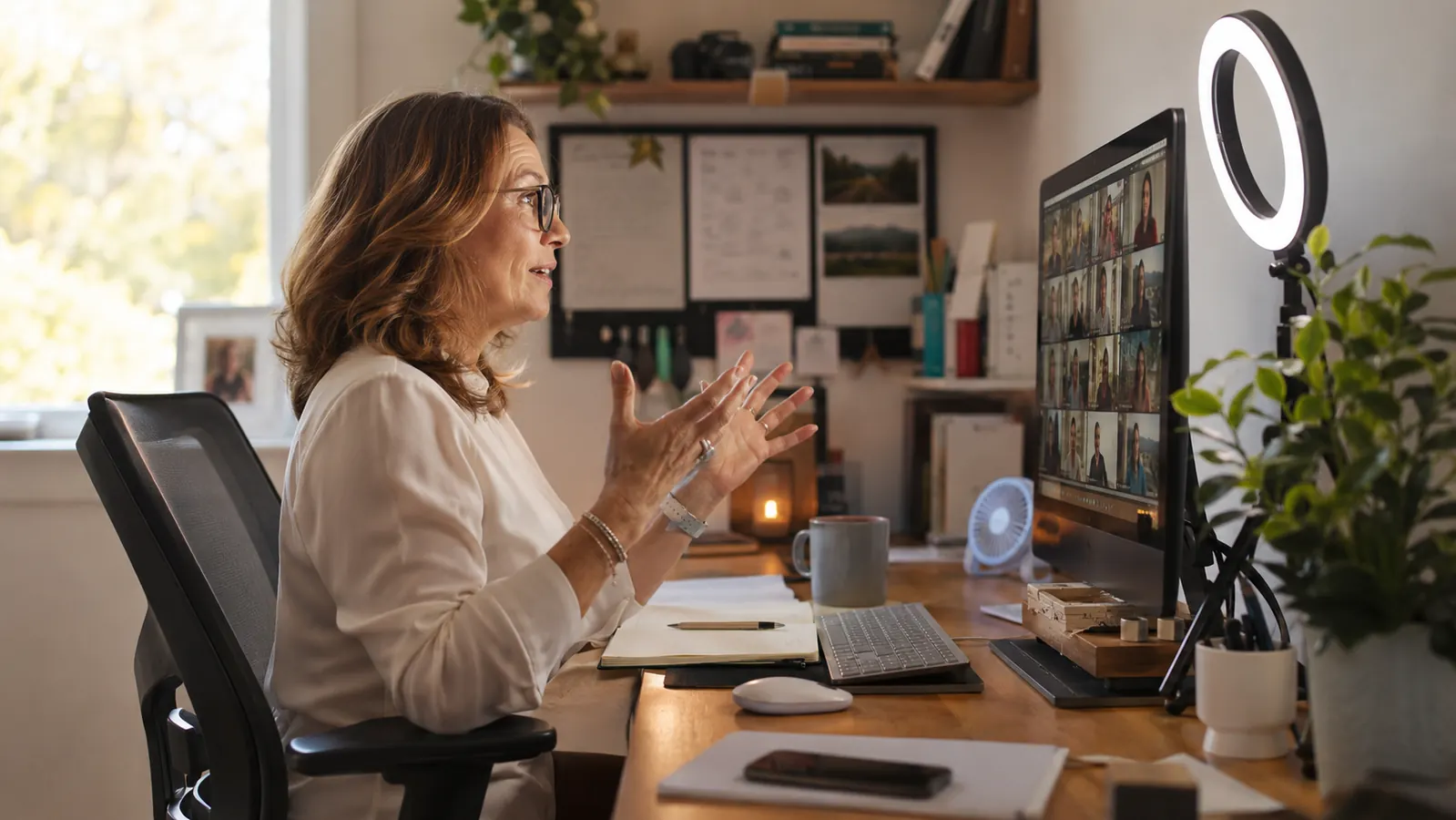
The first ring light I ever bought was a cheap ten dollar clip-on that lasted exactly one Zoom interview before the plastic clip snapped and it fell face-down onto my keyboard. So when I finally sat down to try the UBeesize 12 inch ring light, the one with the overhead phone mount and the desk clamp, I wasn't looking for a glowing halo to make me look like an influencer. I was looking for something that would survive being used by someone who wears glasses, does back to back virtual interviews for a living, and does not have time to babysit her lighting setup. This is the honest version of that experience, not the highlight reel. I'll tell you what surprised me in a good way and what nobody puts in the product photos.
I run HR interviews for a mid-size logistics company, most of them over video now, and I wear glasses every single day. That combination turns out to matter a lot with ring lights, and it's the first thing I want to talk about, because it's the thing every glossy review skips entirely.
The Quick Verdict
A solid, genuinely useful light for anyone doing regular video calls, but the phone mount arm and the glare-in-glasses issue are real tradeoffs nobody warns you about upfront.
Amazon Check Today's Price →Before You Buy Any Ring Light, See What's Actually in the Box
Check current availability and today's price on the UBeesize 12 inch ring light on Amazon before deciding.
Amazon Check Today's Price on Amazon →How I Tested It
I clamped it to the corner desk in my home office, the one wedged between a bookshelf and a window that gets decent morning light but goes flat and gray by early afternoon. My interviews run in blocks, usually three or four candidates back to back starting around 9am, then another round after lunch. That's a good stress test for any lighting gear, because the light gets turned on, left on for two or three hours straight, adjusted between calls as people walk in and out of the room, and then shut off until the next batch.
I tested it across a two week stretch, moving it between my main desk and a smaller laptop table in the guest room twice, since I sometimes take calls from there when my husband is on his own calls in the office. I also tested the phone mount specifically, since I occasionally record short intro videos for candidates using my phone instead of my webcam, and that arm gets its own section below because it deserves one.
What I wasn't doing was testing this as a beauty influencer would, angling it for the most flattering possible glow. I tested it as someone trying to look competent and awake on a Tuesday morning call with a candidate I've never met, which is a different bar entirely.
I also paid attention to something most reviews skip, which is how the light behaves when you're not looking directly at it. Half my job involves glancing down at notes or a resume on my second monitor mid-interview, and I wanted to know if the ring light would leave my face looking strange from an angle instead of dead-on. It held up fine. The light is soft enough that a three-quarter turn toward my second screen doesn't create a hard shadow line down one side of my face, which was a genuine worry given how directional some ring lights can be.
What's Actually in the Box, and What You'll Still Need
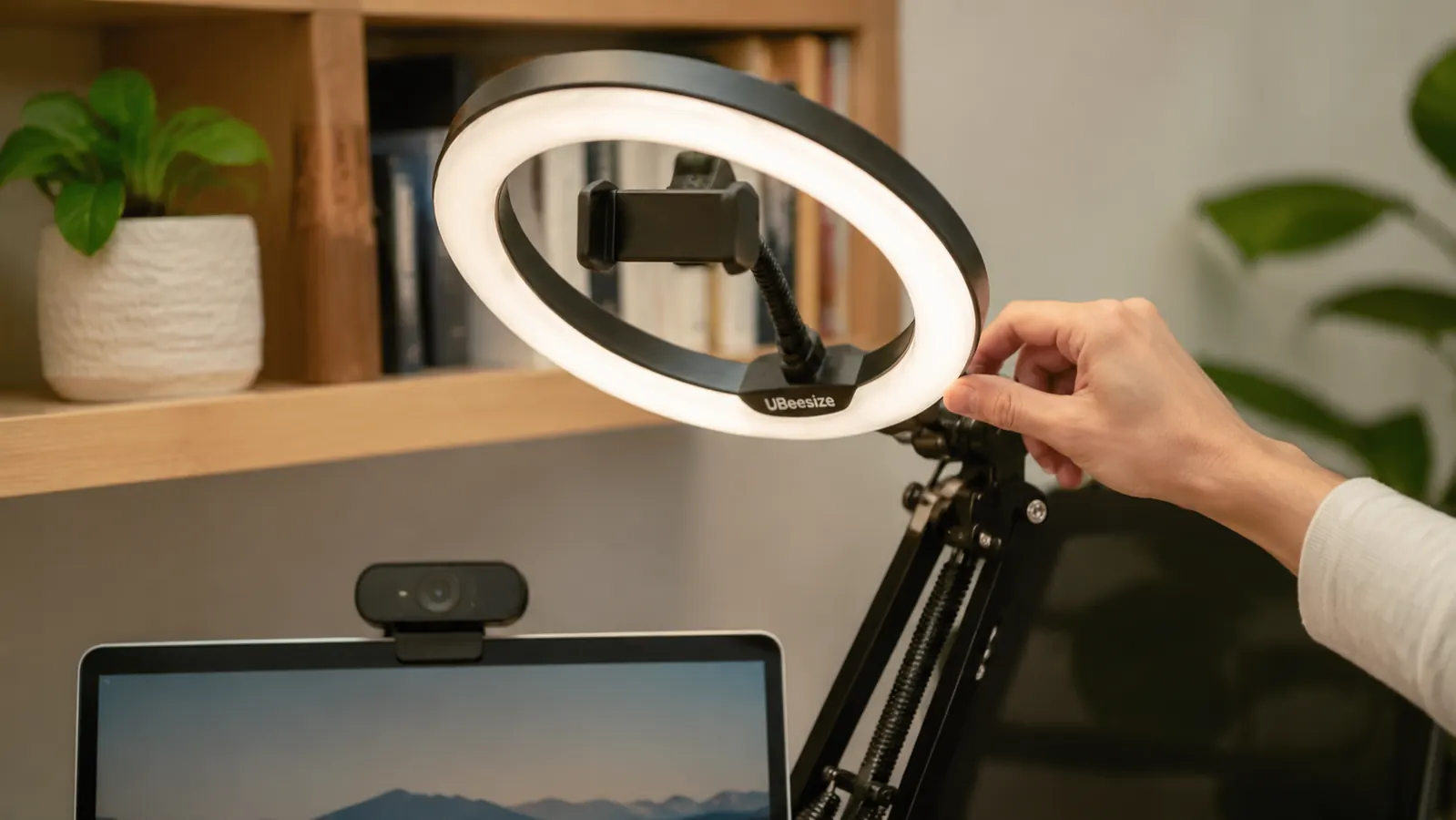
The box includes the ring itself, the desk clamp, a separate small tripod stand, the phone holder that sits in the center of the ring, and the corded remote for brightness and color temperature. That's a reasonable amount of gear for one purchase, but there are a couple of things it doesn't include that I assumed it would based on the product photos. There's no diffuser panel or sock, so at full brightness sitting close to the ring, the light can feel a little direct and hot on the eyes if you're not used to it. A lot of ring lights in this price range skip the diffuser, so this isn't unusual, just worth knowing before you're surprised by it.
There's also no carrying case or bag, which matters if you were picturing tossing this in a laptop bag for a coworking space or a client site visit. It's not fragile exactly, but the ring and the arm are bulky enough that I wouldn't want to just loose-pack it in a tote next to my laptop. I keep mine permanently clamped to my desk, which is how most people who buy this will probably use it anyway, but if you had portable plans, factor in a bag as a separate purchase.
The remote itself is corded, not wireless, which surprised me a little given how many competitors have moved to a small wireless clicker. In practice this hasn't bothered me. The cord is long enough to sit near my keyboard within easy reach, and I've never once had a dead battery mid-call, which is a very real problem with wireless remotes I've owned for other gadgets. I'd call this a fair tradeoff rather than a flaw, but it is a difference from what the marketing images imply, since the remote is shown sitting loose on a desk in a way that makes it look wireless.
The Glasses Problem Nobody Mentions
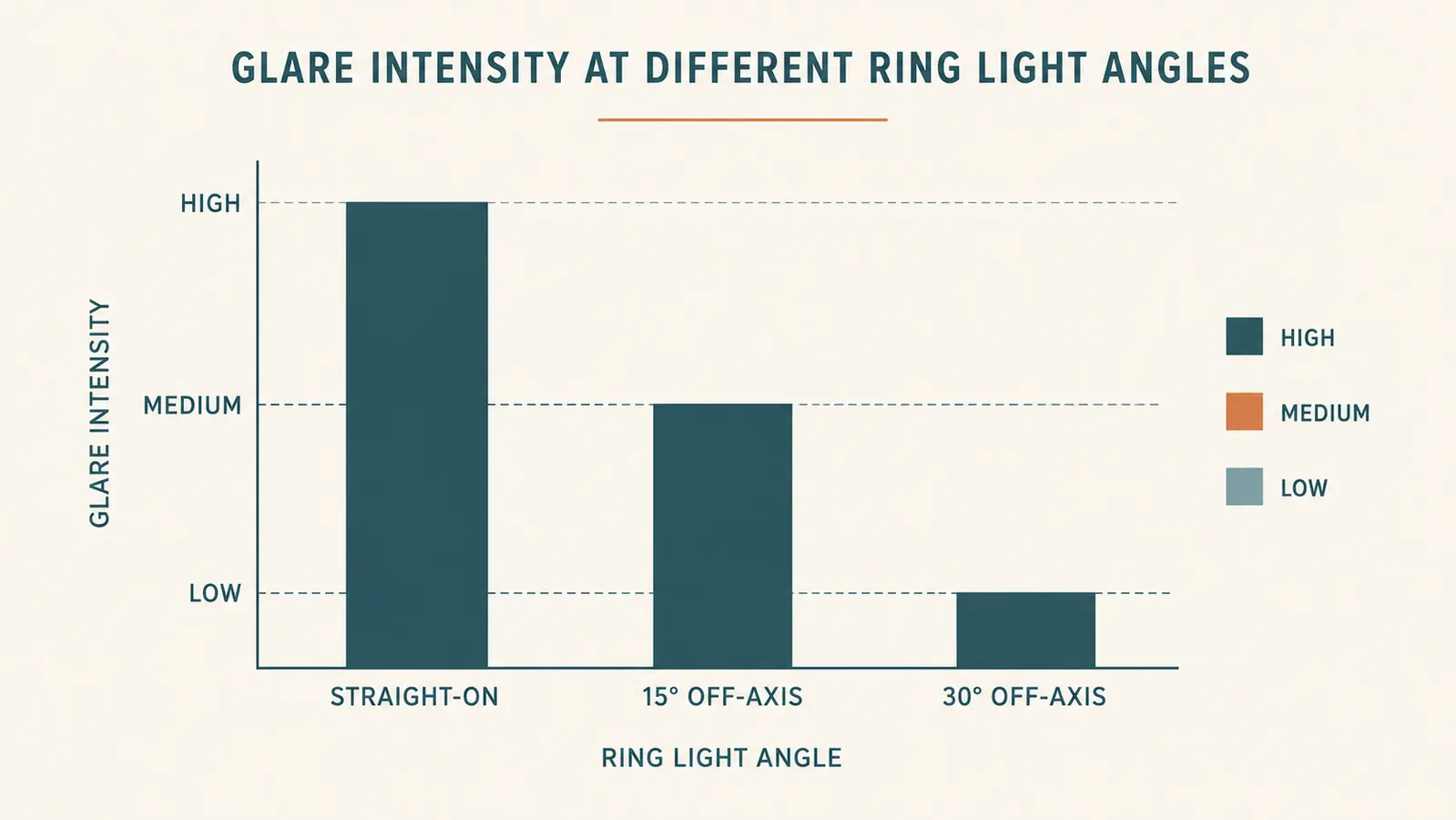
Here's the thing almost every ring light review leaves out entirely, and it's the first thing I noticed within about five minutes of setup. If you wear glasses, a ring light positioned straight on at eye level creates a visible ring-shaped reflection in your lenses. It's small, but it's there, and once you see it on your own recorded video you cannot unsee it. On my first test call I looked back at the recording and saw two tiny glowing donuts staring back at me from my own glasses.
The fix isn't complicated once you know it's coming, which is exactly why I'm telling you now instead of making you discover it the hard way. Angling the light about 15 to 20 degrees off to one side and slightly above eye level cuts the glare down to almost nothing while still lighting your face evenly. It took me maybe ten minutes of trial and error with the clamp arm to find that sweet spot, checking myself in a recorded test clip each time I adjusted it. Once I found the angle, I marked the desk lightly with a pencil dot so I could get back to it after moving the clamp for cleaning.
If you don't wear glasses, skip this whole section, it will not affect you. But if you do, budget that ten minutes into your first setup, because straight-on is genuinely the wrong position for you and nothing in the box or the instructions tells you that.
What the Instagram Videos Don't Show You About Size
The 12 inch ring is bigger than it looks in most product photos, and that's not necessarily a bad thing, but it did surprise me. On my corner desk it takes up more visual real estate than my old clip-on ever did, sitting to the left of my monitor like a small satellite dish. If your desk is already tight, and mine is, since it's shared with a filing tray and a second monitor arm, you'll want to measure your actual clear space before assuming it'll tuck in neatly.
The upside of the larger ring is that the light spreads more evenly across your face and shoulders than a smaller light would, which matters more than people expect. Smaller ring lights, the 6 or 8 inch versions, tend to create a tighter, harsher spotlight effect. This one washes your whole upper body in a softer, wider glow, which reads as more natural on camera, less like you're being interrogated.
The Overhead Phone Arm Is the Weakest Part
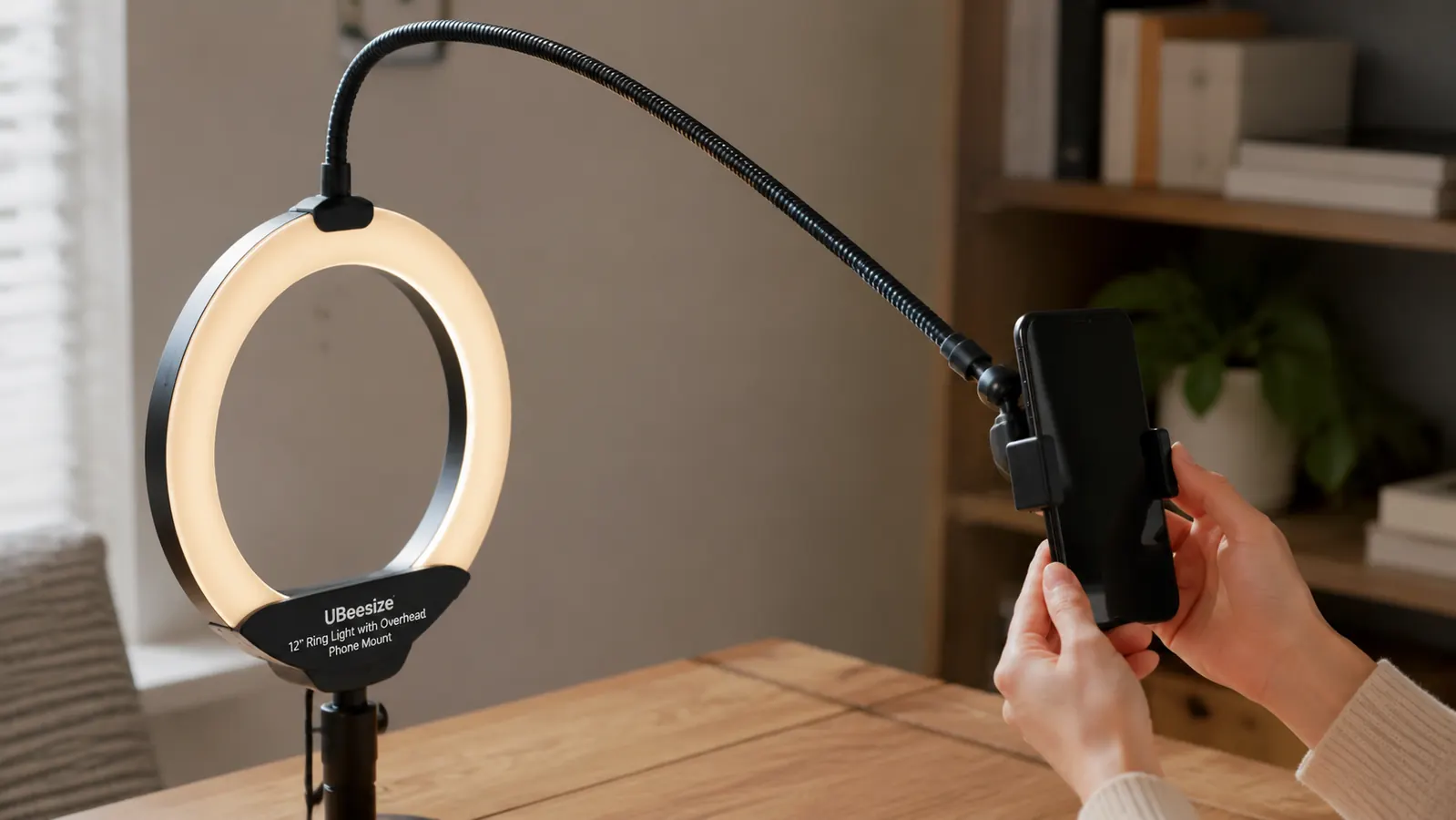
I want to be direct about this because it's the one feature that disappointed me. The overhead phone mount arm, the thin extension that swings out above the ring so you can position a phone looking down at your desk, is noticeably flimsier than the rest of the unit. With a lighter phone it holds fine. With my phone, which has a case and is on the heavier side, the arm sags a few degrees over the course of a recording session, enough that a shot framed perfectly at the start drifts slightly by the ten minute mark.
It's not a dealbreaker, since a few degrees of drift on a top-down desk shot is easy to fix by just re-centering the phone halfway through if you're recording something long. But if the marketing photos led you to picture a rock-solid overhead rig for filming detailed tutorials, temper that expectation. For quick clips under five minutes it's a non-issue. For anything longer, check the framing partway through.
Where the Light Quality Actually Delivers
Now for what it gets right, because there's a lot here. The three color temperature settings and the stepless brightness dial on the corded remote give you real control, not the two-setting gimmick some competitors ship. For my morning interviews, when the window light is decent but a little cool, I run the middle color temperature at around 40 percent brightness. For afternoon calls when the room goes flat and gray, I switch to the warmer setting and bump brightness closer to 65 percent. That range covers every lighting condition my office throws at it across a full day.
The even light distribution around the full ring is genuinely good. I've used cheaper rings before that had a visibly dimmer patch on one side, the kind of flaw you don't notice until a candidate mentions your face looks half-shadowed. This one lights evenly all the way around, and after two weeks of daily interviews I haven't caught a single dim spot or flicker on any recorded call.
I also ran a rough heat and noise check, since both matter for something that sits a couple feet from your face for hours. The ring stays warm to the touch after a long session, never hot, and there's no audible buzz or hum at any brightness level, which isn't something you can take for granted with cheaper LED panels. On a call where the room is otherwise silent, the last thing you want is a light that hums into your microphone.
Skin tone rendering is also better than I expected for something in this range. It doesn't wash me out or add the slightly clinical blue cast some LED lights do. On the warm setting my skin tone looks close to how it looks under my kitchen's regular ceiling light, just brighter and more even, which is really all you want from something sitting a few feet from your face for hours a day.
What I Liked
- Even light distribution with no dim spots after two weeks of daily use
- Wide 12 inch ring gives a softer, more natural spread than smaller rings
- Corded remote gives real stepless control over brightness and three color temperatures
- Desk clamp holds firmly and repositions without leaving marks
- Warm setting renders skin tone naturally instead of washing it out
Where It Falls Short
- Creates a visible ring-shaped glare in glasses unless angled off-axis
- Overhead phone mount arm sags slightly under a heavier phone during long recordings
- Larger footprint than it appears in most product photos, tight on small desks
- No diffuser included, so the light can feel a touch direct at full brightness up close
The glare-in-glasses issue is a five minute fix once you know it's coming. Nobody tells you it's coming.
Who This Is For
If you're on video calls most weekdays, whether that's interviews, client meetings, or team standups, and your room has inconsistent natural light the way most home offices do, this solves a real problem. It's also a solid pick if you occasionally record short vertical videos on your phone and want a quick lighting setup without buying separate gear for that. The desk clamp is sturdy enough that I trust it on a shared desk that gets bumped and repositioned regularly, which was one of my bigger worries going in.
It's also worth it if you've been relying on overhead room lighting and just accepting how it looks, the way I did for years before my first cheap clip-on. Once you've used a proper ring light for a month of interviews, going back to bare ceiling light on a call feels like a downgrade you can't unsee. Candidates and coworkers don't usually comment on good lighting, they just quietly register you as more put together, which is really the whole point.
Who Should Skip It
If your desk space is genuinely tiny, smaller than a standard laptop table, the footprint might frustrate you more than the light quality delights you. If you plan to do serious overhead filming, cooking demos, craft tutorials, anything where the phone needs to hold rock steady for twenty or thirty minutes, budget for a separate dedicated overhead mount rather than relying on the included arm. And if you don't wear glasses and don't do video calls more than once or twice a week, a light this capable might be more than you need. A basic ring light or even a well-placed desk lamp could cover occasional use just fine.
One more honest note. If you already own a decent monitor light bar or a well-positioned window that gives you even light through most of the workday, you may not need this at all. I'd only recommend layering in a ring light on top of gear you already like if you're still seeing shadows or washed-out color on your recorded calls despite what you have. Don't buy gear to fix a problem you don't actually have.
Stop Guessing at Angles, Start With the Right Light
See current pricing and availability for the UBeesize ring light on Amazon and decide if it fits your setup.
Amazon Check Today's Price on Amazon →