
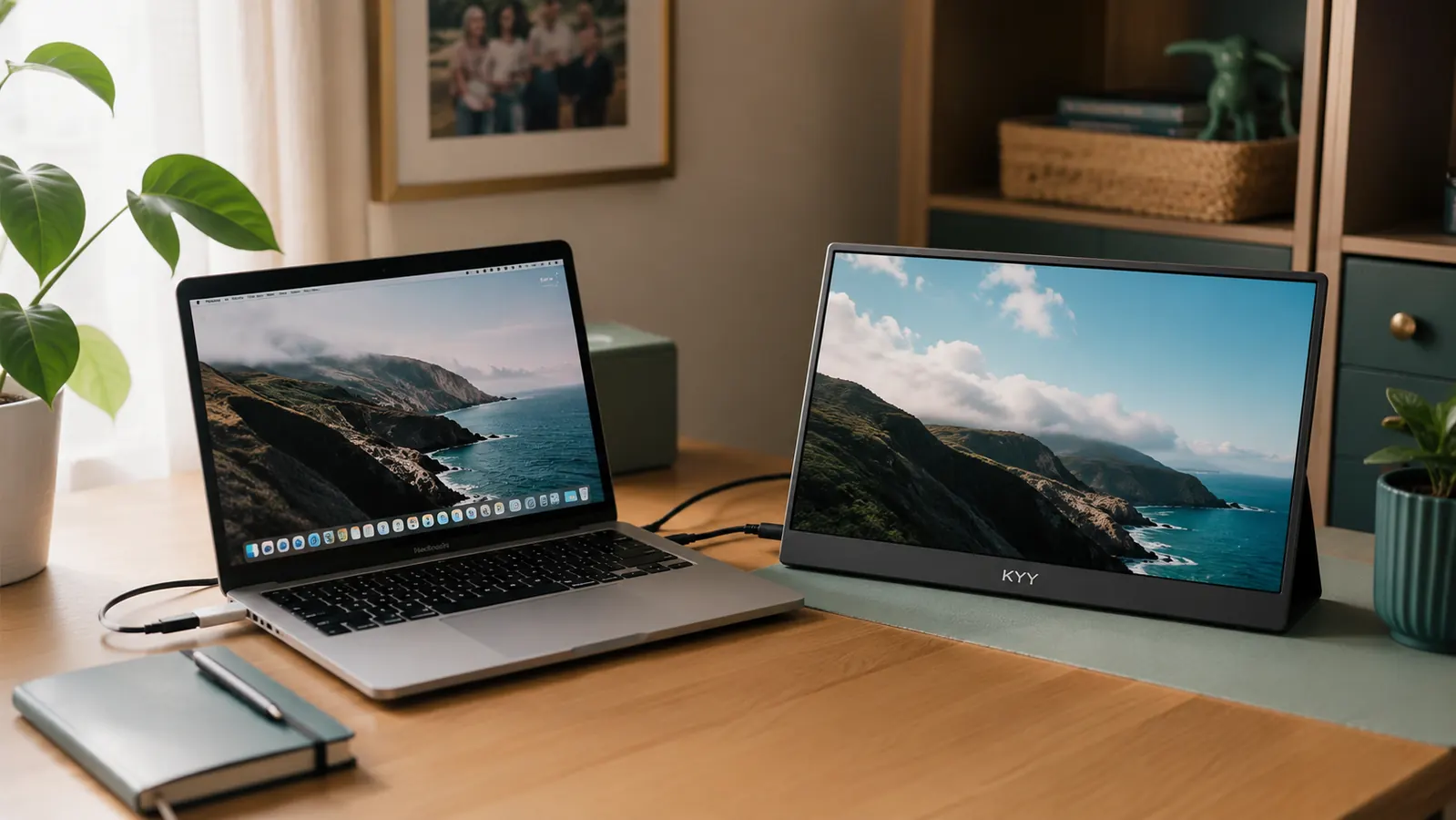
If you have narrowed your second-screen search down to the KYY 15.6-inch portable monitor and an UPERFECT model, you are already ahead of most people who just grab whichever one shows up first in search results. Both are legitimate USB-C portable monitors built for the same job, giving a laptop a real second screen without hauling a full desktop monitor into a home office, a co-working space, or a hotel room on a work trip.
Short answer, since you are probably comparing tabs right now: the KYY is the one we recommend for most home office setups. It matches UPERFECT on core screen quality, comes in at a lower price point than most UPERFECT models, and its built-in folio stand is simply easier to live with day to day. UPERFECT still has a place, mainly for people who specifically want a touchscreen model or a particular port layout for a niche use case. We will get into exactly where each one pulls ahead below.
Both brands sell almost entirely through Amazon, so most of what we know about long-term reliability comes from the same place you are probably reading reviews right now. The KYY line benefits from being a single, well-documented model with a deep pool of reviews. UPERFECT spreads its reputation across a wider catalog of screen sizes and touch versus non-touch variants, which makes comparing "UPERFECT" as one product a little slippery. Keep that in mind as we go through the specifics.
| KYY 15.6" Portable Monitor | UPERFECT Portable Monitor | |
|---|---|---|
| Price Positioning | One of the more affordable 1080p options in this category, check today's price on Amazon | Typically $30 to $60 higher than the KYY, more if you choose a touchscreen model |
| Screen Resolution | 15.6-inch 1080p Full HD IPS panel with HDR support | 15.6-inch 1080p IPS on most models, HDR support varies by generation |
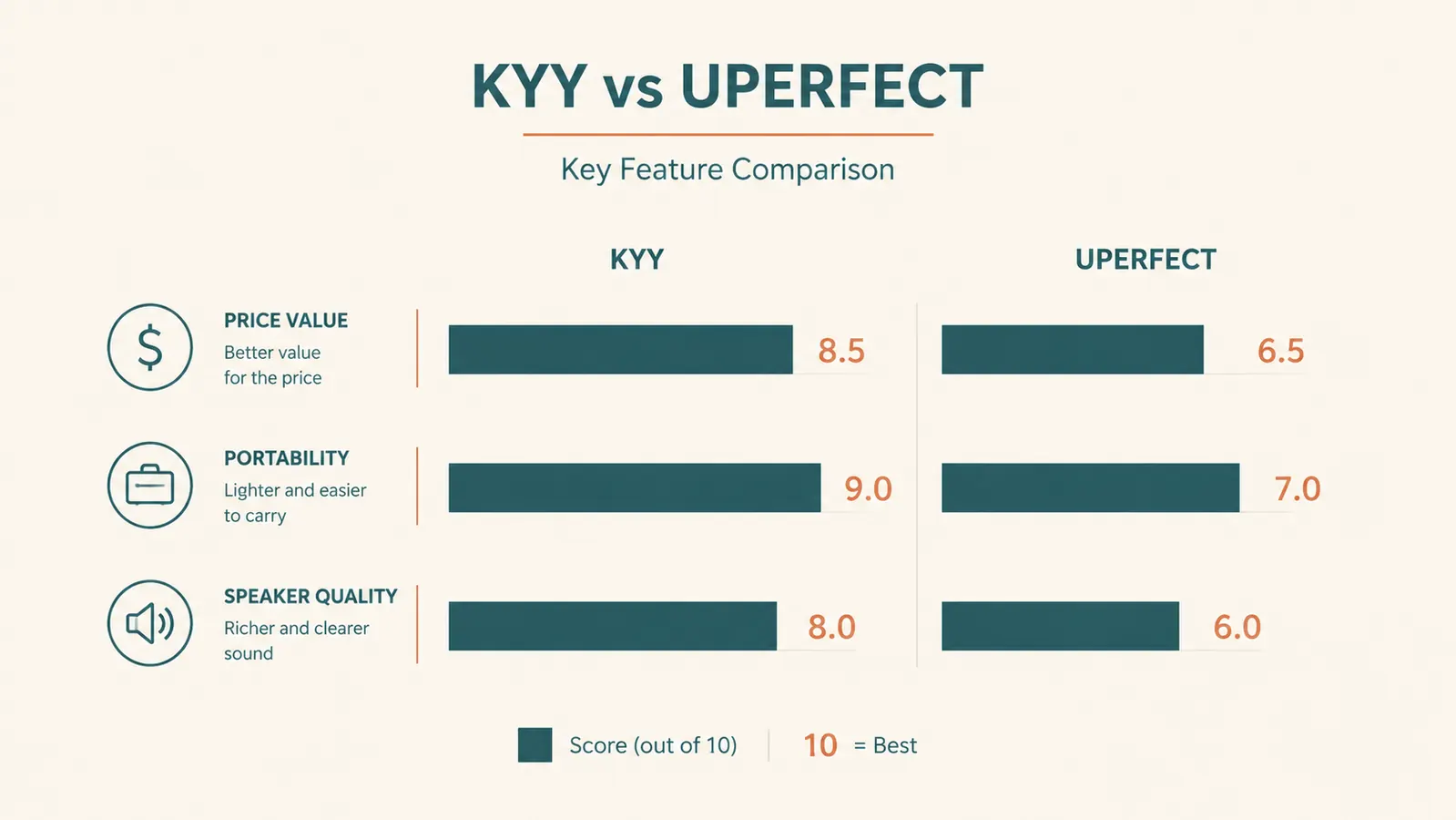
| Built-In Speakers | Dual stereo speakers, loud enough for a video call or a quiet podcast | Single small speaker on most non-touch models, noticeably quieter |
| Stand and Case | Folio smart cover doubles as an adjustable stand and a screen protector, one piece to carry | Kickstand or folio often sold separately or bundled loosely, less integrated on entry-level models |
| Ports | Dual USB-C (one carries power and video) plus a full-size HDMI, true single-cable setup with most modern laptops | USB-C plus mini-HDMI on several models, which means keeping an extra adapter in your bag |
| Weight and Thickness | About 1.6 lbs and roughly a third of an inch thick | Comparable weight on non-touch models, touchscreen versions run noticeably thicker and heavier |
| Console and Device Compatibility | Confirmed working with laptop, PC, Mac, phone, Xbox, and PS4 out of the box | Works with most of the same devices, though console compatibility is inconsistent across UPERFECT's different model lines |
| Touchscreen Option | Not offered, KYY keeps this line non-touch to hold down price and weight | Available on select models, a real advantage if you specifically want touch input |
| Review Volume on Amazon | 4.4 stars across more than 13,000 ratings on a single listing | Ratings generally land in the 4.3 to 4.5 range, but spread thinly across many separate model listings |
Screen Quality Side by Side
On paper, these two are closer than you might expect. Both use 15.6-inch 1080p IPS panels, which means wide viewing angles and colors that stay accurate whether you are looking at the screen straight on or from an angle across a desk. Text stays sharp for spreadsheets and documents, and video calls look clean without the washed-out tint you get on cheaper TN panels. Neither monitor is aiming to replace a color-critical editing display, and neither one needs to.
Where they start to differ is consistency. Because the KYY comes from a single, tightly controlled product line, the panel quality you see in reviews is the panel quality you get. UPERFECT's broader catalog means panel quality can vary by model year and configuration, so a glowing review of one UPERFECT unit does not always transfer cleanly to the specific model you are looking at today. If screen quality is your top priority, that predictability quietly favors the KYY.
Ports, Cables, and Real-World Setup
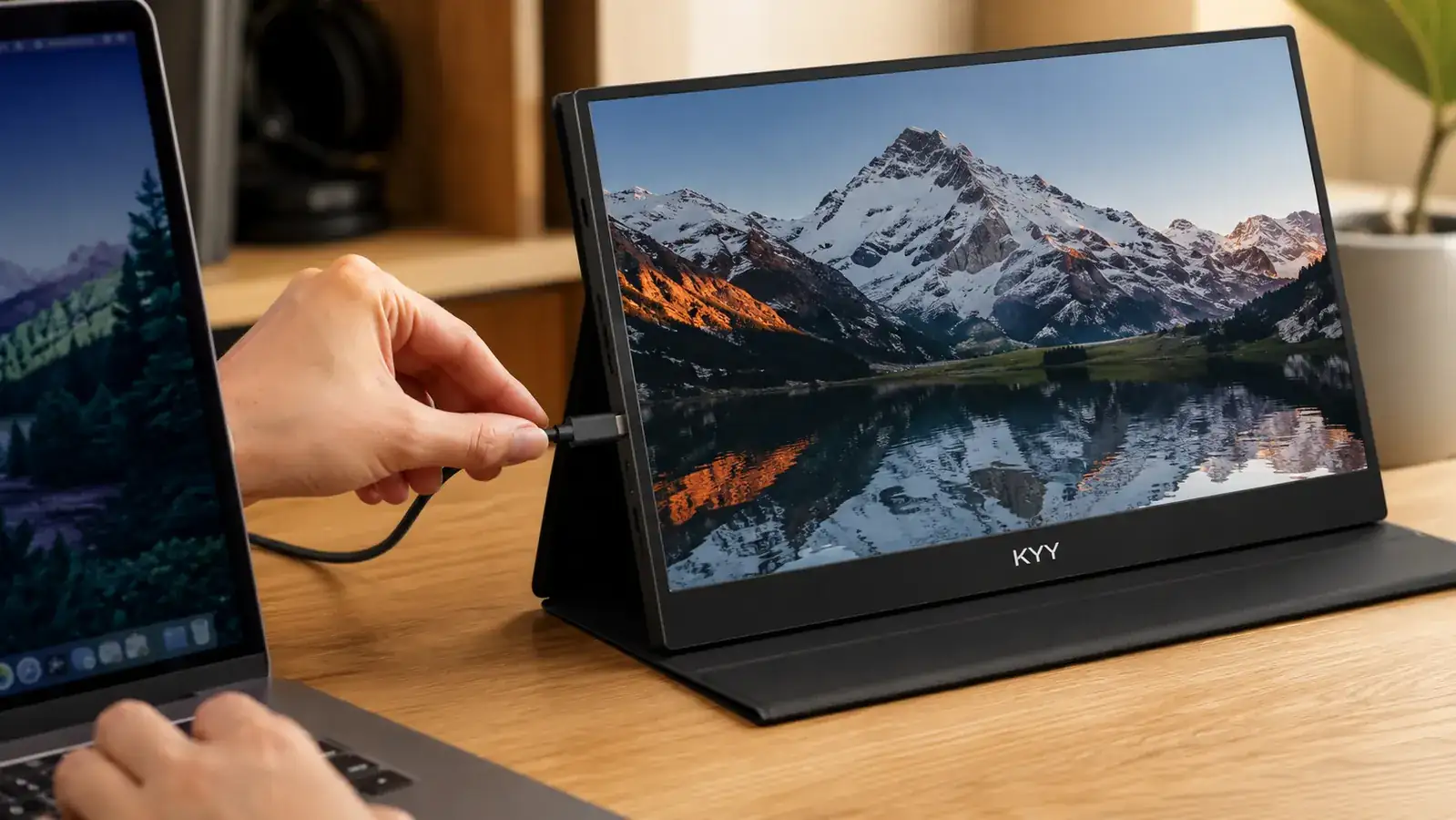
This is the category people underestimate until they are sitting at their desk holding the wrong cable. The KYY runs on dual USB-C ports, one of which carries both power and video from a single cable, plus a full-size HDMI port for older laptops or a desktop tower. If your laptop supports USB-C video output, and most laptops from the last several years do, you can go from bag to working second screen with one cable and no adapters.
Several UPERFECT models use mini-HDMI instead of full-size HDMI, which is a small detail until you realize your existing HDMI cable will not fit without an adapter you probably do not own. It is not a dealbreaker, but it is one more thing to check before you buy, and one more thing to pack when you travel. The KYY's port layout is simply more forgiving if you want to plug in and go.
Built to Travel Better
A portable monitor lives a rougher life than a desktop one. It goes in and out of a backpack, gets propped up on hotel desks, and rides along to coffee shops. The KYY's folio cover is the detail that keeps showing up in long-term reviews as the thing people did not know they would appreciate. It closes over the screen like a laptop lid, folds back into a stand at whatever angle you need, and never has to be searched for separately because it is permanently attached.
UPERFECT's non-touch models are close in weight, but the touchscreen versions add real bulk and weight, which makes sense given the extra hardware a touch panel requires. If portability between rooms or between locations matters as much as the screen itself, the simpler, lighter, all-in-one KYY setup tends to win out in daily use, even though the spec sheets look similar side by side.
Support, Reviews, and Long-Term Ownership
Neither of these monitors comes from a household electronics name, and that is worth acknowledging upfront. Both brands sell primarily through Amazon and lean on their listing reviews as their real-world track record, rather than a wide retail presence with in-store support. That is normal for this category, but it does mean your due diligence should include reading the most recent reviews, not just the highest-rated ones from years ago.
The KYY's advantage here is depth. More than 13,000 ratings on one listing gives you a large enough sample to spot real patterns, whether that is a specific failure mode or a consistently praised feature like the folio stand. UPERFECT's reviews are respectable, but because they are split across so many individual model listings, no single one accumulates the same weight of evidence, which makes it harder to know exactly what you are getting before it shows up at your door.
If something does go wrong, both brands handle claims through Amazon's standard return and warranty process rather than a dedicated support line, so your experience returning or exchanging either monitor should be similar. The real difference is how likely you are to need that process in the first place, and the larger, more consistent review pool behind the KYY gives us more confidence in its long-term reliability.
Where the KYY Wins
The biggest difference you will feel within the first five minutes of setup is the folio cover. On the KYY, the case that protects the screen in your bag is the same piece that props the screen up on your desk, at whatever angle you actually want to type at. There is nothing extra to dig out of a drawer, and nothing extra to lose. When you are trying to get a second screen up before a 9am call, that kind of simplicity matters more than a spec sheet lets on.
The second thing worth noting is how consistent the KYY is across its one model line. UPERFECT sells a wider range of monitors under the same brand name, which is great if you want options, but it also means the reviews, the port layouts, and even the stand designs vary from listing to listing. With the KYY, what you see in the one well-reviewed listing is what you get. For a home office purchase you are hoping to make once and not think about again, that predictability is worth something.

Where UPERFECT Wins
To be fair, UPERFECT is not a weaker brand, it is a different one. If you specifically want a touchscreen portable monitor, that is where UPERFECT has the edge. A touch panel is genuinely useful for annotating documents, using it as a secondary Windows touch display, or running certain creative apps, and the KYY does not offer that option at all. If touch input is a must-have for your workflow, this comparison ends here in UPERFECT's favor.
UPERFECT also tends to offer more configuration variety in general, meaning larger screen sizes, higher refresh rates on some models, and specialty finishes for creative professionals. If your home office needs lean more toward color-sensitive design work than everyday multitasking, it is worth looking at UPERFECT's higher-end lineup specifically, rather than comparing it against the KYY at all. That said, for the common case of needing a reliable second screen for spreadsheets, email, and video calls, the extra configuration options do not add much.
Stop toggling between two windows on one screen.
The KYY 15.6-inch portable monitor sets up with a single cable and folds flat into its own stand, no separate case to remember. Check today's price on Amazon before you decide.
Amazon Check Today's Price on Amazon →Who Should Buy Which
If your home office setup is a laptop that needs a real second screen for email, spreadsheets, research tabs, and video calls, the KYY is the more sensible buy. It costs less at today's price, the folio stand means one less thing cluttering your desk, and the port layout plays nicely with almost any laptop you already own. It is also the easier one to recommend to someone who just wants to set it up once and stop thinking about it.
Choose UPERFECT instead if touch input is a specific requirement for your work, or if you have already decided you want one of its larger or higher-refresh-rate models for a more specialized use case. For most people reading a comparison like this one, though, the simpler answer is usually the right one, and here that is the KYY, a monitor that does the everyday job well without asking you to think about it twice.
One last practical note. If you set up your desk fresh at the start of every remote workday, or you move between a home office and a kitchen table depending on the day, weigh the folio stand more heavily than the spec sheet suggests. The monitor you actually use every day is the one that takes the least effort to set up, and that has been the KYY in our experience.
Give your laptop the second screen it has been missing.
A tidy desk and a real second monitor are not mutually exclusive. See current availability and pricing for the KYY portable monitor on Amazon.
Amazon Check Today's Price on Amazon →