

I almost returned the KYY portable monitor during the first week I owned it. Not because it's bad, but because nobody warned me it needed a specific kind of USB-C port to actually work the way the listing photos suggest, and I spent two frustrating nights thinking I'd bought a dud. I'm Daniel, I do remote bookkeeping for three small landscaping companies out of a spare room in my house in Columbus, and my desk situation before this monitor was one 13-inch laptop screen and a lot of squinting at spreadsheets with forty open columns.
This is not the review that tells you it changed my life. It's the one that tells you what the marketing copy leaves out, what actually annoyed me in month one, and why I still use it every single workday anyway. If you're two minutes from clicking buy on this KYY 15.6-inch monitor, read this first, because the difference between loving it and returning it usually comes down to one detail most listings never mention.
The Quick Verdict
A genuinely useful second screen for tight spaces, once you get past a setup quirk almost nobody mentions.
Amazon Check Today's Price →Still deciding? See today's price before you read the fine print.
The KYY 15.6-inch portable monitor solves a real problem for cramped desks, but there's a compatibility detail below that you need to know before you order.
Amazon Check Today's Price on Amazon →How I Actually Tested It
I didn't test this monitor in a lab, and I'm not going to pretend I ran it through some formal review protocol. I tested it the way most people actually will, by plugging it into whatever laptop was already on my desk and expecting it to just work. My main machine is a 2022 mid-range Windows laptop, the kind with two USB-C ports that look identical but are not identical, which is exactly the trap I fell into and the reason this review exists.
The first cable I tried went into the wrong port, the screen flickered, showed a resolution warning, and then went black. I assumed the monitor was defective, and honestly I was a little annoyed, because I'd read a dozen glowing reviews that made this sound completely foolproof. It took a frustrating call with a coworker who has the same laptop model to learn that only one of my two USB-C ports actually supports video output over USB-C, a detail that has nothing to do with KYY and everything to do with how laptop manufacturers label ports inconsistently.
Once I found the right port, it worked immediately, single cable, no drivers, no app to install, no fiddling with display settings beyond dragging the second screen into position. I've now used it for close to four months, five days a week, running QuickBooks Online on the laptop screen and client spreadsheets on the KYY monitor beside it. That's the setup this review is based on, not a spec sheet and not a thirty-minute unboxing session.
I also tried it briefly on my partner's older MacBook Air just to see how it behaved on a different system. Same result, single cable, instant recognition, no compatibility issues at all, because that laptop's USB-C port does carry video by default. The lesson from both tests is the same: it's not that this monitor is finicky, it's that the industry hasn't standardized what a USB-C port can and can't do, and buyers are the ones left guessing.
What Nobody Tells You About the Setup
The single-cable USB-C connection is the headline feature, and when it works, it's genuinely great. But the honest version of that story includes the fact that a meaningful chunk of one-star reviews on this exact monitor are people whose laptop's USB-C port doesn't carry a video signal, which has nothing to do with the monitor's quality. Before you buy this, or honestly any USB-C portable monitor, look up whether your specific laptop's USB-C port supports DisplayPort Alt Mode, sometimes labeled with a small monitor icon next to the port itself. It takes two minutes and it will save you a return shipping label and a week of frustration.
The second thing nobody mentions is that the HDMI option exists as a backup for a reason. If your laptop's USB-C port only handles charging and data, you'll need the included HDMI cable plus a separate USB-A to USB-C cable for power, which means two cables instead of one and a slightly less tidy desk. It still works fine, the picture quality is identical either way, it's just not the one-cable dream the box photo implies for everyone, and I wish the listing said that plainly instead of burying it in the fine print of the product description.
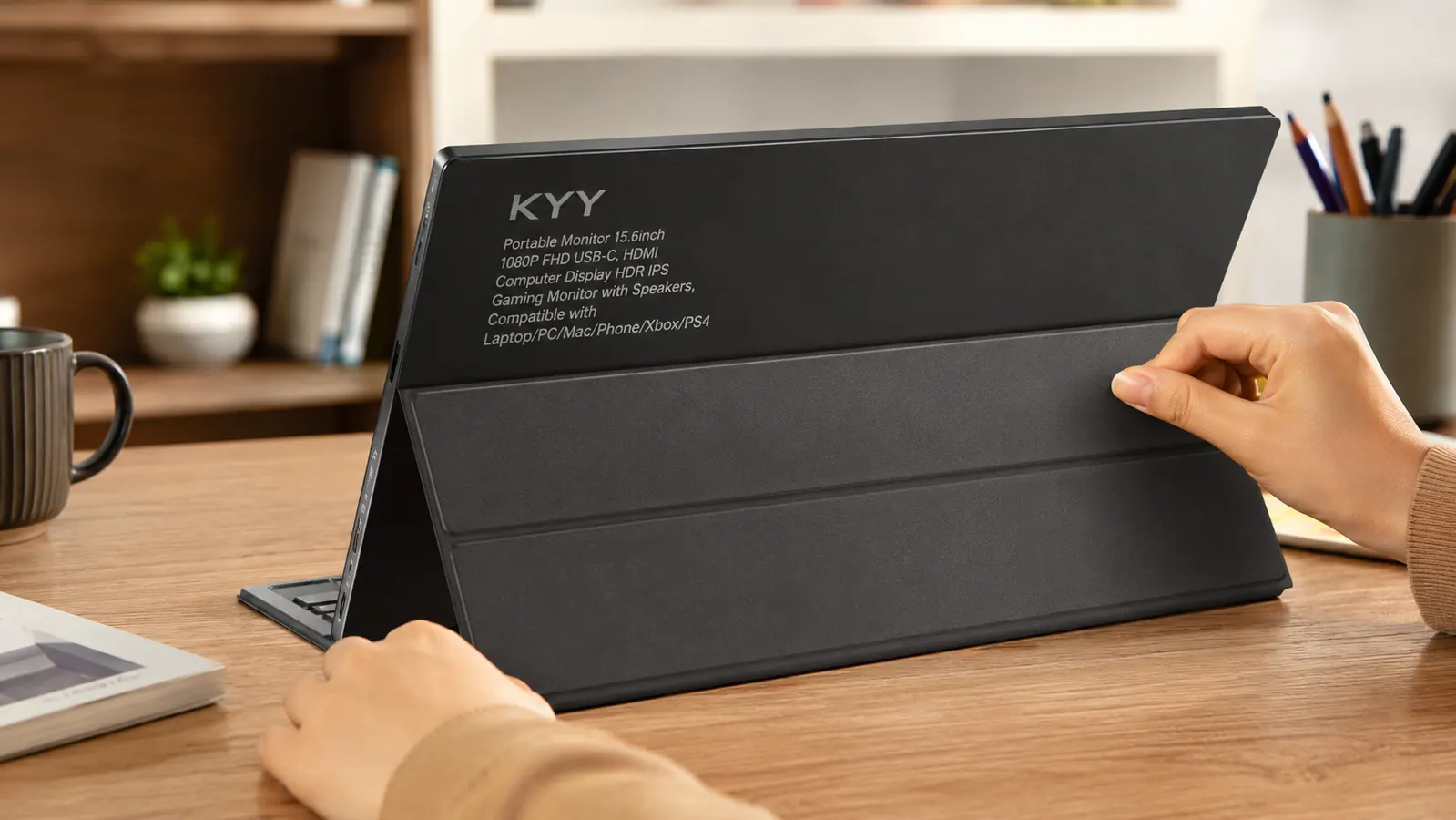
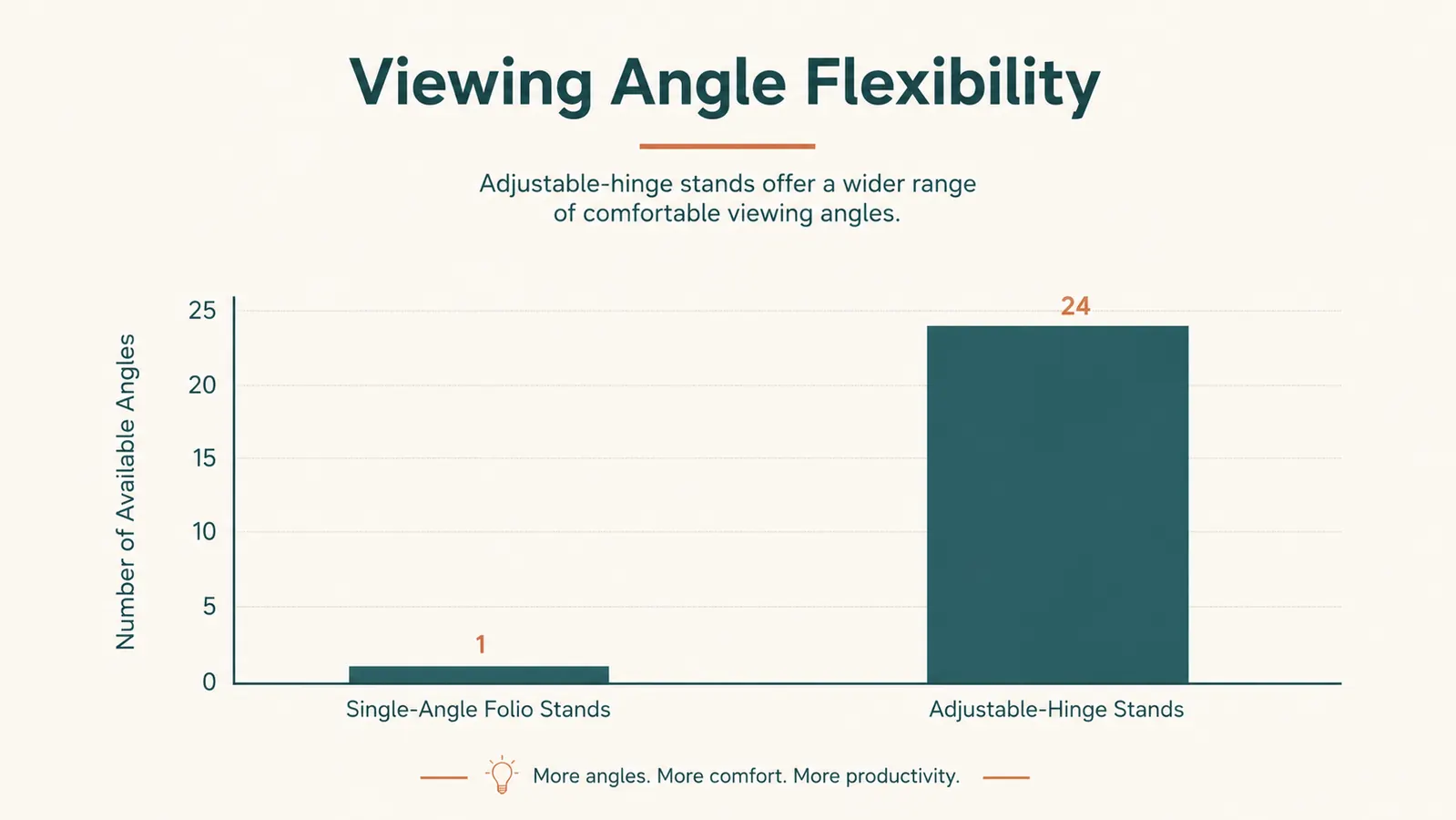
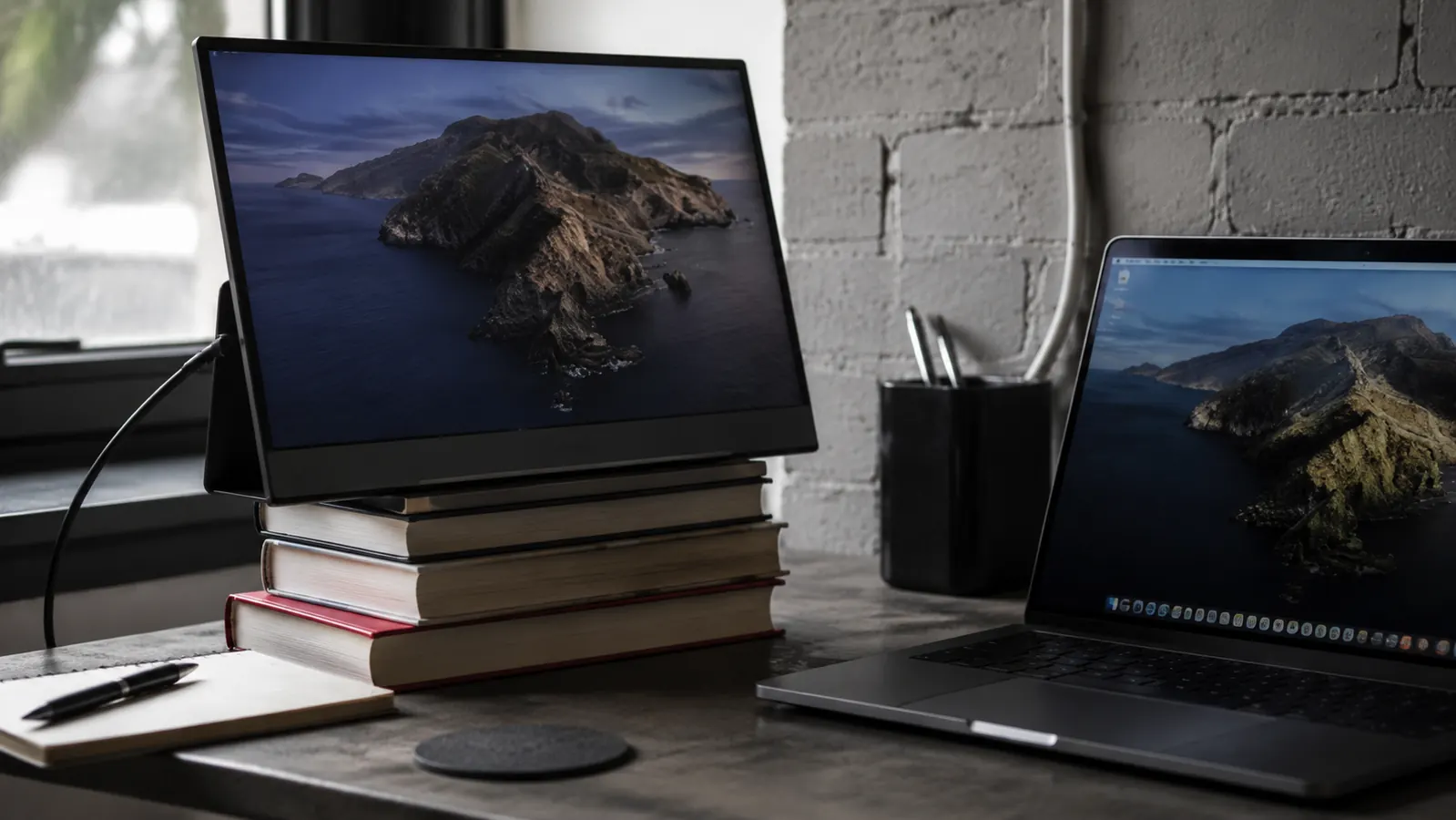
Third, the folio cover kickstand gives you exactly one viewing angle. Not adjustable, not a hinge you can fine-tune, just one angle that's roughly upright with a slight backward lean. For me at a standard 29-inch desk height that angle happens to work well. For my sister, who tried mine on her kitchen island which sits lower than a typical desk, the angle was wrong and left the screen tilted back too far to see comfortably, so she ended up propping the whole thing against a stack of cookbooks to correct it. That's a real limitation worth planning around, not a nitpick I'm inventing to sound balanced.
Screen Quality, Honestly Assessed
The 1080p IPS panel is the part of this monitor that has zero caveats in my experience. Text is sharp enough to read ten-point font in a spreadsheet without eye strain, colors look accurate rather than washed out, and viewing angles are wide, so if a client leans over my shoulder during a screen share they can actually read the numbers from the side without squinting. For the kind of detail-heavy desk work I do, where a misread digit in a column can mean a real bookkeeping error, that panel quality punches well above what I expected going in.
Brightness is where I'll push back on the marketing a little. In my spare room, which has a south-facing window, midday glare washes out the screen enough that I have to angle it away from direct light or close the blinds partway to see it clearly. It's not dim exactly, it's that portable monitors in general sacrifice brightness for battery efficiency and a slim, lightweight design, and this one is no exception to that tradeoff. If your desk sits in direct sun for part of the day, plan on repositioning it or dimming the room rather than expecting it to fight through the glare.
The 60Hz refresh rate is a complete non-issue for spreadsheet work, document review, or video calls, which covers essentially everything I use it for. If you were hoping to use this as a secondary gaming display for anything fast-paced, you'll notice the ceiling pretty quickly. For everything I actually do at my desk, it's never once felt like a limitation, and honestly I forget the number exists most days.
The Speakers Are Not a Feature, They're a Checkbox
I want to be direct about this because I think it gets glossed over in a lot of reviews trying to stay upbeat about everything. The built-in speakers exist so KYY can list them on the box and check a bullet point. They are thin, a little tinny, and adequate for a notification chime and nothing more. I use a separate small Bluetooth speaker for anything I actually want to hear clearly, including client calls, and I'd recommend budgeting for that separately if audio quality matters to your workflow at all.
This isn't a dealbreaker for me because I never bought this monitor expecting audio quality out of a panel this thin, that would be an unrealistic ask of any portable monitor at this size. But if a listing photo or a quick skim of the bullet points left you thinking this doubles as a small speaker setup for your desk, it doesn't, and I'd rather tell you that plainly now than have you disappointed after the first video call where you can barely hear the other person.
Where It's Genuinely Impressed Me
Four months in, the build quality has held up better than the price led me to expect. The bezel hasn't loosened, the hinge on the folio cover still closes flush and snaps shut the way it did on day one, and the screen itself is free of dead pixels or any discoloration, which is the thing I was most worried about going in given how thin and almost flimsy the panel feels the first time you hold it in your hands.
It's also lighter than it looks in photos, under two pounds including the folio cover, which means I actually do move it between my desk and the kitchen table on days I want a change of scenery, something I honestly doubted I'd bother doing when I first unboxed it and assumed it would just live permanently propped next to my laptop. And the touch-based control buttons on the side, which I assumed would be fiddly and require a manual to figure out, have turned out to be simple enough that I adjusted brightness and switched input sources on the first try without opening a single instruction page.
What I'd Change If I Could
If KYY handed me a wish list for the next version, the kickstand would be first. A second, lower-angle notch on the folio cover would fix my sister's kitchen island problem and probably a good number of the one-star complaints about it being awkward on shorter desks. It wouldn't need to be a full adjustable hinge like a monitor arm, just one more locked position would cover most of the desks I've actually seen people use it on.
Second, I'd want clearer labeling in the box itself, not just the online listing, about which USB-C ports support video. A small printed card that says 'look for a port with this icon on your laptop' would have saved me two nights of assuming I'd received a broken unit. It's a cheap fix that would meaningfully cut down on confused first-time buyers and probably on returns too, which benefits KYY as much as it benefits the customer.
Third, a slightly brighter panel option would be worth a few extra dollars to me, specifically for anyone whose desk sits near a window. I've adapted by repositioning mine through the day, but it's an adaptation, not a solution, and I'd rather not have to think about the angle of the sun when I'm just trying to reconcile an invoice.
What I Liked
- Sharp, accurate 1080p IPS panel that holds up for detail-heavy spreadsheet and document work
- Genuinely single-cable setup once you confirm your laptop's USB-C port supports video
- Lighter and more portable than it looks, under two pounds with the folio cover
- Wide viewing angles make screen sharing with someone beside you easy
- Build quality has held up with no dead pixels or loosening after months of daily use
Where It Falls Short
- Fixed kickstand angle with no adjustable hinge, which may not suit lower desks or counters
- Built-in speakers are weak and better treated as a backup, not a real audio solution
- Not every laptop's USB-C port outputs video, and the listing doesn't make that clear enough
- Brightness struggles against direct sunlight or a bright window
The monitor didn't disappoint me. The lack of a warning label about USB-C ports did.
Who This Is For
This monitor makes the most sense if you already know your laptop's USB-C port supports video output, or if you're comfortable running the HDMI plus power cable combo without it bothering you. It's a strong fit for anyone doing detail-oriented desk work in a small space, bookkeeping, writing, spreadsheet-heavy jobs, or anyone who needs a second screen that can travel between rooms or come along on a trip without adding real weight to a bag. If your workspace is a spare bedroom, a corner of the living room, or a desk that gets rearranged depending on the week, this earns its spot. It also holds up well for anyone who shares a desk with a partner or roommate, since it's easy enough to unplug and hand off, or to fold flat and tuck away when the desk needs to double as dinner table space in the evening.
Who Should Skip It
If you haven't checked whether your laptop's USB-C port carries a video signal, do that first, because a return over a compatibility mismatch is an entirely avoidable headache and the single most common complaint I found once I started digging. Skip it too if your desk or work surface sits at an unusual height where a single fixed kickstand angle won't work for you, or if you were counting on the speakers for calls or media, since you'll want a separate audio solution either way regardless of which portable monitor you end up choosing.
One more honest note before you decide: this isn't the monitor for anyone chasing a premium, ultra-bright display for color-critical work like photo editing. It's built for practical, everyday second-screen tasks at a reasonable price point, and it does that job well, but it's not trying to be a professional-grade panel, and it shouldn't be judged as one.
Know the one thing to check before you buy, then decide.
If your laptop's USB-C port supports video, this monitor is a straightforward, well-built upgrade for a tight desk. See current availability and pricing before it changes.
Amazon Check Today's Price on Amazon →